
Buy for the orders you have. Plan for the demand ahead.
Give buyers the stock, commitments, demand history, and supplier requirements behind each buy. Move from a replenishment recommendation to a purchase order without rebuilding the work in a spreadsheet.
- See shortages before they hold up orders
- Avoid buying stock already on a PO
- Turn the planned buy into a PO draft
01 / Replenishment
Make the buy with the whole picture in view.
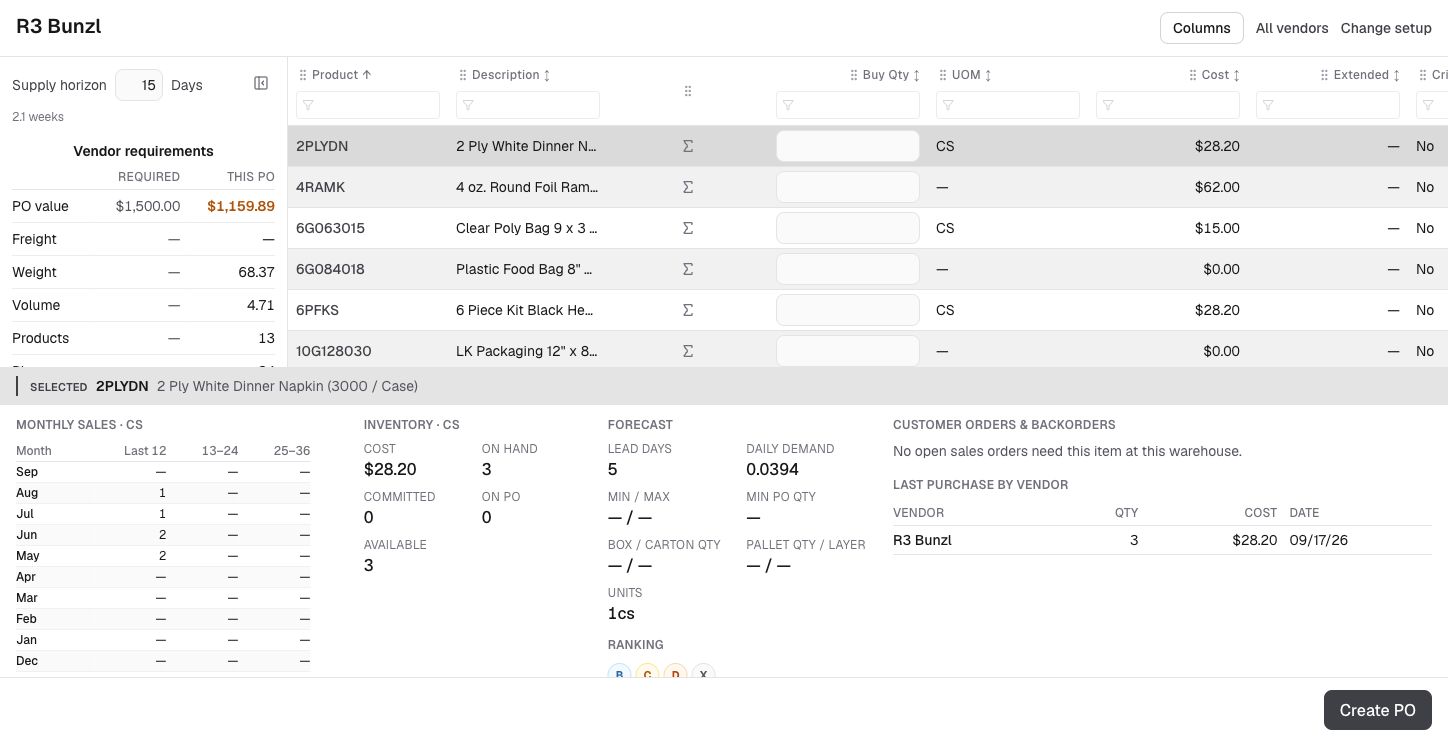
Choose the warehouse and review vendors or a specific supplier. Suggested buys account for demand, available stock, commitments, open purchase orders, and the supply horizon. Buyers can focus on critical items and adjust quantities before creating the PO.
- Compare the planned value, weight, and volume with vendor requirements.
- Inspect sales history, stock, forecast inputs, and backorders alongside each product.
- Carry selected products and quantities into normal PO entry for final review.
02 / Supplier operations
Keep the purchase connected to the rest of the business.
Manage supplier documents, purchase orders, and receipts in Abbey. When vendor invoices arrive, AI reads the document and identifies the vendor, invoice details, and referenced PO numbers to prepare the bill for review.
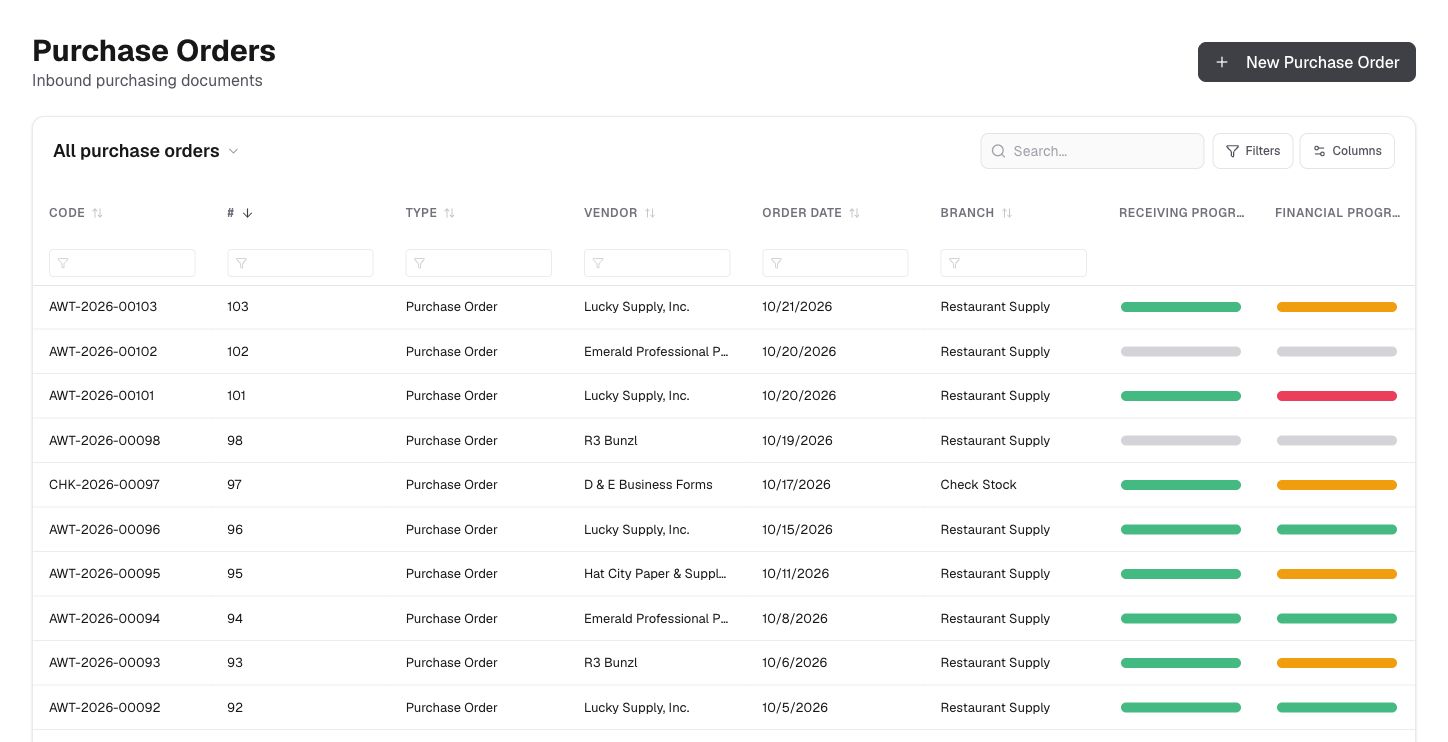
- Use purchase orders and receiving records to follow incoming supply.
- Reduce repetitive entry from vendor PDFs and invoice emails.
- Review extracted amounts and discrepancies against the original document.
Keep the workflow moving
Connected to the next part of the job.
Let’s talk about your operation
See Abbey work through
your next order.
Bring an example from your operation. We’ll walk through order entry, purchasing, fulfillment, and billing with your team.